 Clinvora
Clinic software for doctors in India
Your clinic's records, on your own PC
Patients, visits, prescriptions, billing and appointments in one simple Windows app — encrypted on your clinic's computer and working even when the internet doesn't.
- Homeopathy & allopathy
- Works offline
- Windows 7 SP1 to 11
- Printed prescriptions

Features
Everything a busy clinic needs, nothing it doesn't
Made for the way Indian clinics actually work — a doctor or two, a receptionist, and a lot of patients.
Patients & visits
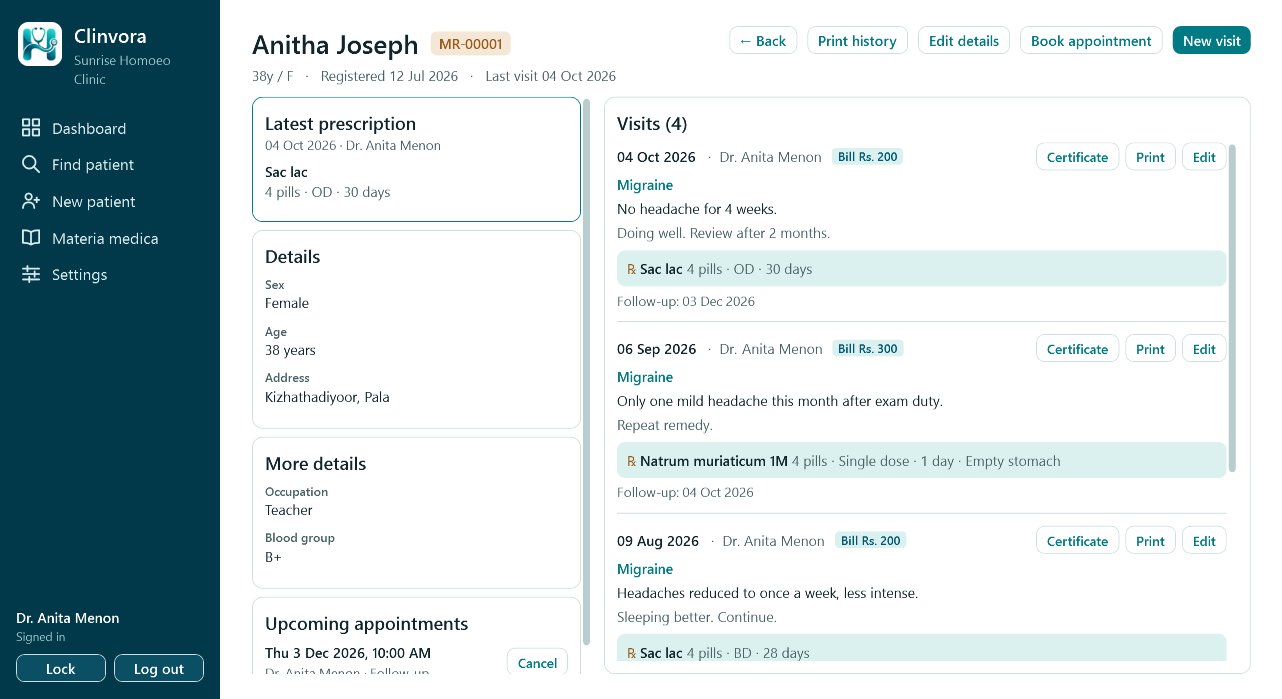
Registration with MR numbers, complaints, diagnosis, case notes, vitals with BMI, photos and follow-ups. Find anyone by name, phone, MR number, date of birth or even disease.
Prescriptions in seconds
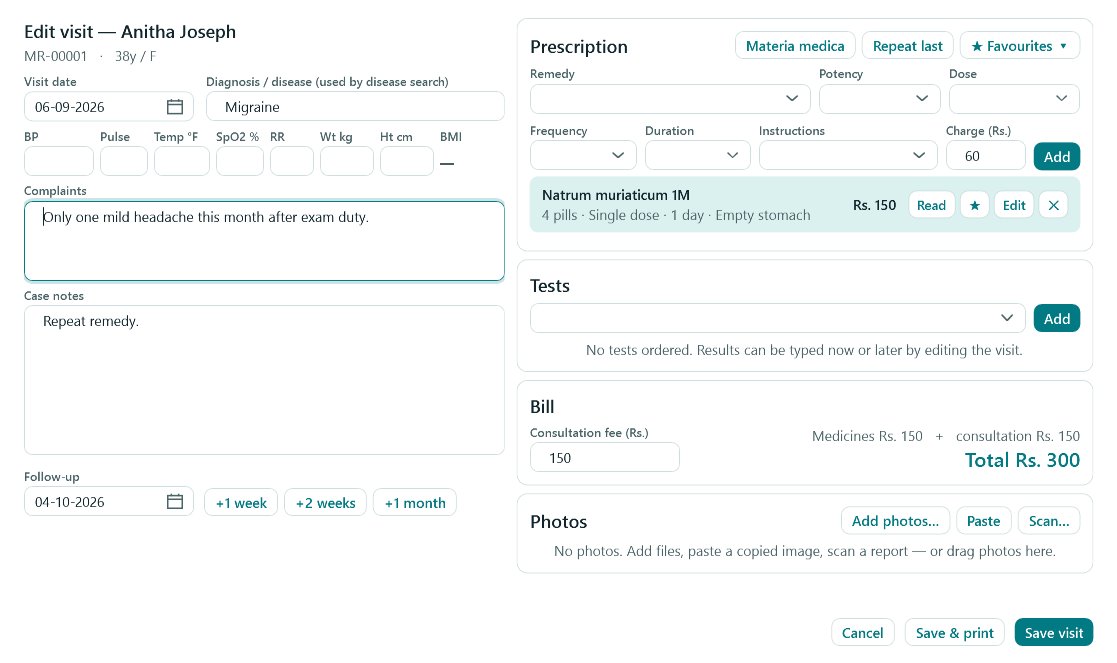
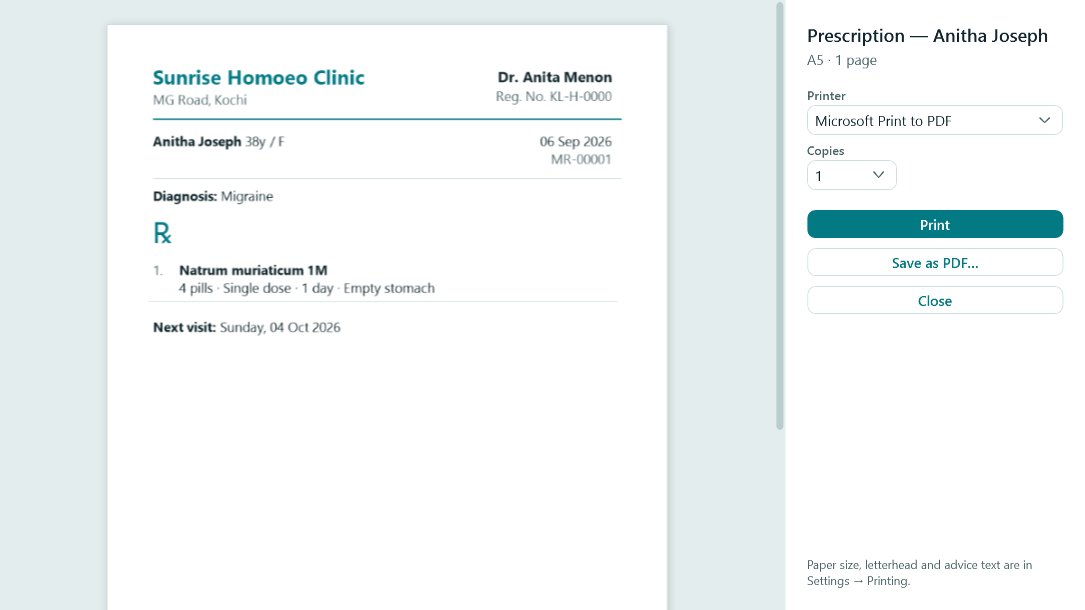
Medicine suggestions as you type, favourites, "repeat last", dose and timing. Printed on A5 or A4, with your letterhead.
Billing
Consultation fee and per-medicine charges for every visit, with totals for today, this month, this year and all time.
Appointments
Book follow-ups from the visit; today's and the coming week's appointments on the dashboard.
Encrypted & private
The database is encrypted on your PC and stays in your clinic. Separate logins for doctors and receptionists, and the screen locks itself.
Automatic backups
Encrypted daily backups to the PC, a USB drive and your own Google Drive — with restore built in.
Phone view
Optionally read your patients' records on your phone — handy on house calls or when a patient phones in.
Bring your old records
Import patients and past visits from Excel or CSV, and export everything any time — your data is yours.
Updates included
New versions install from inside the app, signed by the developer so they can't be tampered with.
Two editions, one app
For homeopathy and allopathy clinics
Choose your type of practice when you set Clinvora up — the wording, medicine lists and tools follow your choice.
For homeopathic practitioners
- Remedy, potency, dose and frequency — with common remedies suggested as you type
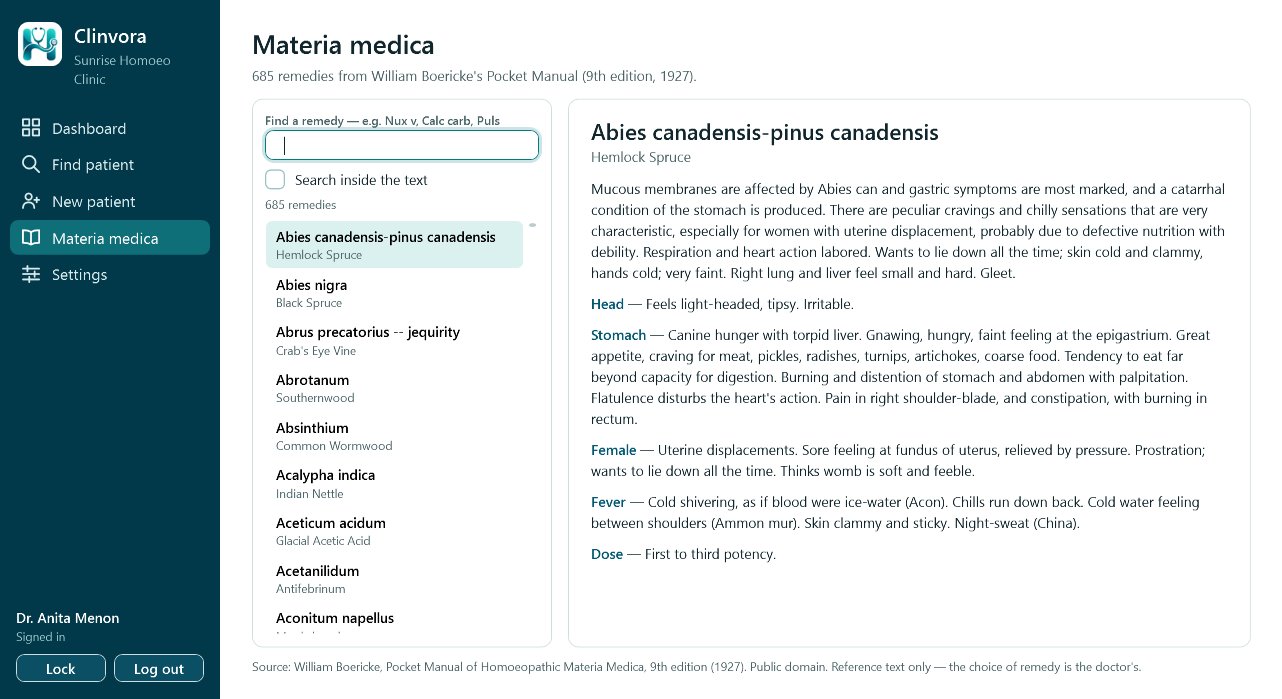
- Boericke's Materia Medica built in — read any remedy beside the visit (F1)
- Case notes and follow-ups that make long-term cases easy to review
For allopathic doctors
- Around 520 generic medicines and 260 common Indian brands suggested as you type
- Drug-allergy warnings — including brands and drug families
- Lab requests, investigation results and medical certificates, printed
See it
Clear screens, no clutter
Real screens from Clinvora, with a made-up demo clinic.
Peace of mind
Your data stays yours
Pricing
Start free for 30 days
Every feature, no card needed. When the trial ends, a licence keeps your clinic running.
Contact us for pricing — we'll suggest the right plan for your clinic.
Ask the price on WhatsAppDownload
Clinvora for Windows
Latest version
Download the installer- Windows 7 SP1, 8.1, 10 or 11
- .NET Framework 4.8 (built into Windows 10 and 11)
- About 5 MB · works offline after setup
FAQ
Questions doctors ask
Does Clinvora need the internet?
No, not for daily work. Records are on your PC. The internet is used only for updates, the licence check, Google Drive backups and the optional phone view.
Will it run on our old clinic PC?
Yes, if it runs Windows 7 with Service Pack 1 or later. Clinvora is light and was made with older clinic computers in mind.
Can my receptionist use it?
Yes. Receptionists get their own login to register patients, book appointments and print. Visits and prescriptions are recorded by the doctors.
Can I bring patients from my old software or Excel?
Yes. Import patients and past visits from Excel or CSV — Clinvora shows a preview before anything is saved, and you can undo an import.
What if the PC breaks?
Restore your latest backup on a new PC — from the backup folder, a USB drive or your Google Drive — and carry on.
Is it homeopathy only?
No. Choose homeopathy or allopathy when you set it up; each has its own medicine lists and tools.
Try Clinvora in your clinic
Questions, a demo, or help installing — message us on WhatsApp.